
Reporter
This page is only available to users that have been allocated the Reporter Role. This is a strictly view only function with no capacity to edit or influence the behaviour of the system.
Reports are grouped according to the Category drop-down list on the left. The categories may include but are not limited to the following ...
History for historical events such as past export batches and imports.
Statistics relating to violations, evidence, users, sites, etc
System for all reports that relate to system State Of Health, Installed Components, Reboots, etc.
Test. This category is usually only for reports that are still under construction.
User for reports that relate to user activity. Adjudications, Supervision events, etc.
Selecting a report from the second drop-down list causes a set of report-specific input widgets to appear. Simply enter the prompted parameters and click the Apply button.
Sample Reports
The following represent a sample of the available reports.
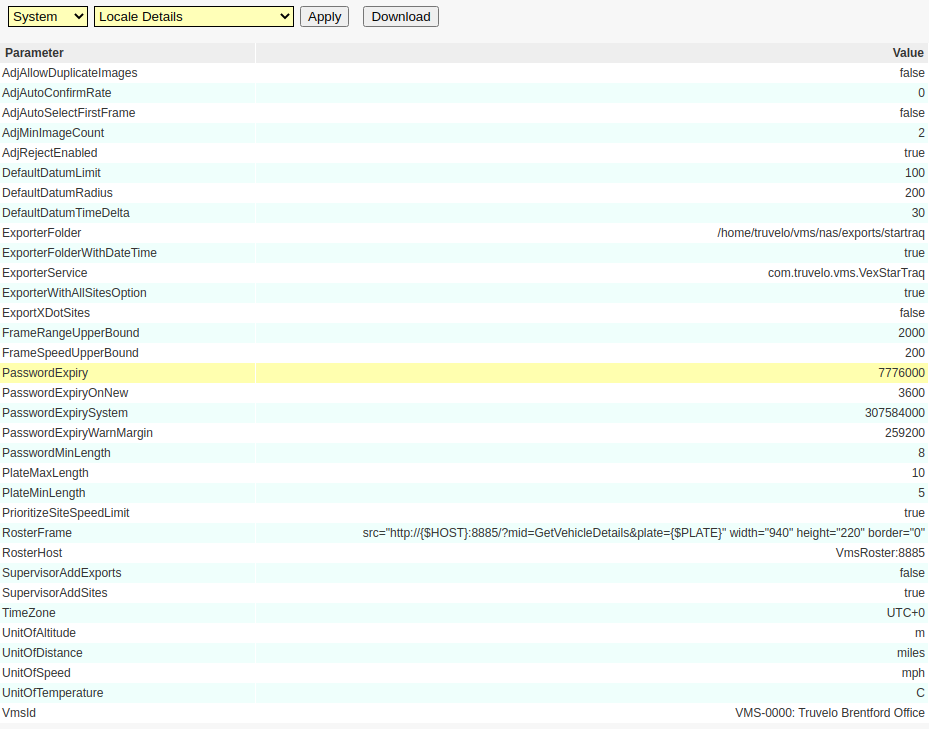
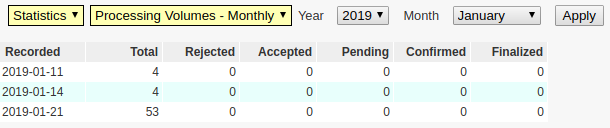


This example serves only to illustrate the range of possible input widgets (parameter types) that are available ...

Downloads
Clicking the Download button will cause the system to construct a CSV file report(n).csv written to your selected download folder.
Download Location Prompts
When the user issues a download request from the Reporter screen, the file will usually be automatically downloaded to ~/Downloads (on Linux). The way in which an alternative folder is selected depends on the browser in use ...
In Chrome (this should be your default for VMS): Go to Settings > Downloads and then select the 'Ask where to save each file before downloading' checkbox option.
In Firefox: Go to Tools > Options, open General tab and select radio button Always ask me where to save files.
- In Internet Explorer 8: When the download dialog opens, click Save button and choose the location.
Custom Reports
Customer-specific reports are also available upon request.
All reports are defined as decorated SQL database queries. This means that the system is entirely generic, making it possible to define new custom reports without requiring a new release of the VMS system, binary updates or indeed service restarts.