Shifts
The Shifts panel provides access to all uploaded shift documents.
A 'Shift' is a summary of the conditions under which the associated violations were acquired, and may also include notes and explanatory detail relevant to the adjudicator/supervisor.
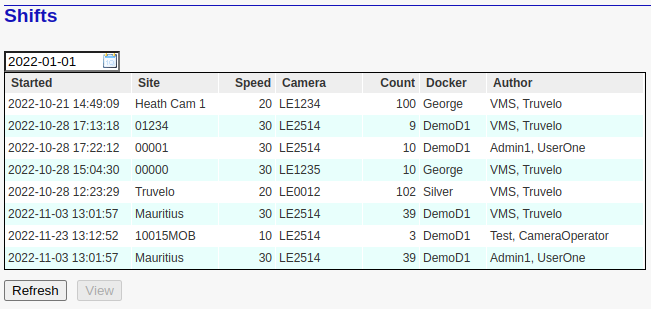
This table includes the following headings:
Started: Denotes the user-specified start time of the roadside shift.
Site: The applicable site code of all associated violation recordings.
Speed: Indicates speed associated with this site. Note that this figure will not change if the site details are subsequently updated or changed.
Camera: The serial number of the camera used during this shift.
Count: This is a user-specified estimate of the number of violation recordings acquired during the shift.
Docker: The unique ID of the docker that was used to define the shift.
Author: The full name of the user responsible for creating the shift document. This is usually also the name of the individual responsible for acquiring the associate violation recordings.
Date Selection
The date selection box above the table allows the user to specify the earliest date start for the required list of shifts.
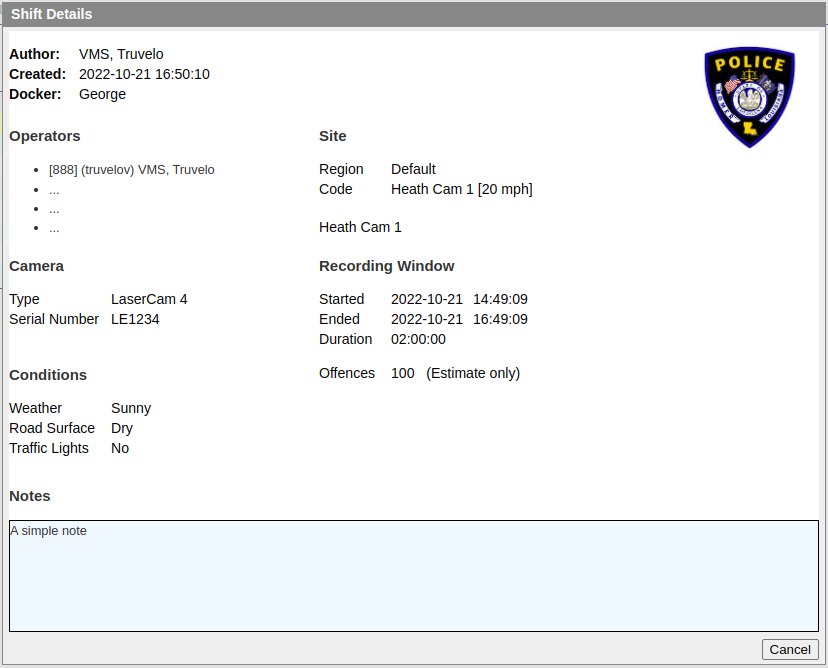
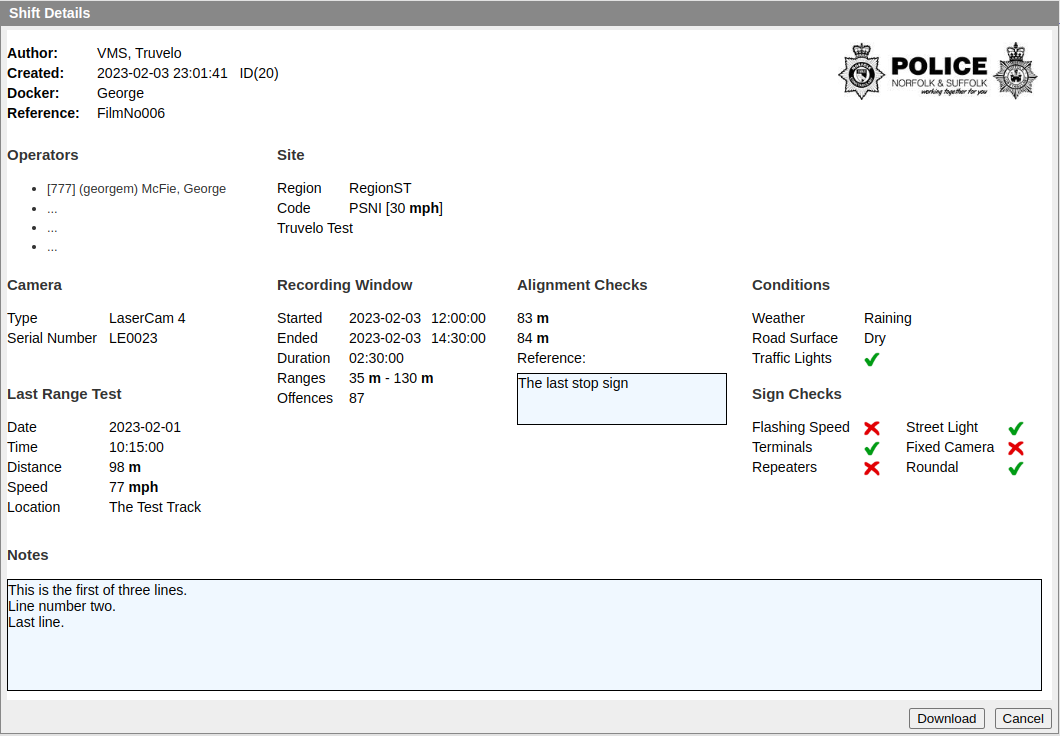
Shift Details
The details of a shift are accessible by either double-clicking the listed shift, or by first selecting it and then clicking the View Button. The following are samples ...